How to Fix Pixelated and Blurry Twitch Streams (Even on Good Internet)
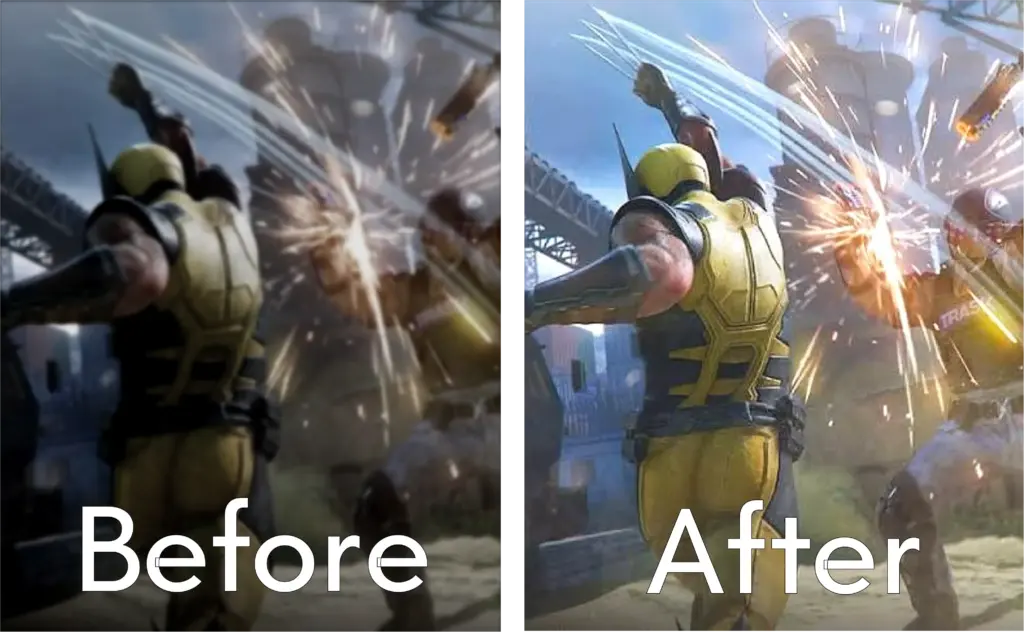
You have gigabit internet, a great gaming PC, and you've selected "1080p60 Source" on Twitch or Kick. But the second the streamer starts moving fast in a game like Apex Legends, Call of Duty, or Valorant, the stream completely falls apart into a chunky, pixelated mess.
This isn't an issue with your internet speed. It’s a streaming compression issue, and you can fix it right in your browser.
How to Clean Up Stream Pixelation Instantly
To fix that chunky, pixelated look, you need to apply a real-time distortion filter to the video player that smooths out the compression artifacts (the big chunky blocks).
Video Quality Enhancer is a Chrome extension that lets you apply post-processing filters directly to live streams on Twitch, Kick, Rumble, and YouTube Live.
Here is the exact setup to fix a pixelated stream:
- Open the extension while watching your Twitch or Kick stream.
- Turn the Reduce Distortion slider all the way up to 100. (This specifically targets those ugly compression blocks).
- Add a moderate amount of Sharpness (around 40-50) to bring the game's text and HUD elements back into focus.
- Optional: If the streamer's game looks washed out, bump up the Saturation slightly.
Why Do Twitch Streams Look Pixelated During Fast Movement?
Twitch streams look pixelated during fast movement because the platform limits a streamer's video bitrate to roughly 6,000 to 8,000 kbps. When a game features rapid camera movement or complex visuals like grass and particles, that limited bitrate is not enough data to draw every pixel, resulting in chunky compression artifacts known as macroblocking.
Basically, the streaming server is forced to guess what the pixels should look like in order to save bandwidth. On a phone screen, you might not notice it. But on a desktop PC monitor, those "guessed" pixels look like giant, blurry squares.
The Built-in Solutions Don't Work
Twitch and Kick do not offer any built-in tools to fix stream quality on the viewer's end. If the streamer is forced to broadcast at a low bitrate, you are stuck watching a low-bitrate stream.
You could try zooming out of your browser so the video player is smaller (which hides the pixels), but then you can't see the gameplay properly. Instead of squinting at macroblocks, let your browser do the heavy lifting to smooth out the image.