Video Quality Enhancer Setup & Settings
Learn how to properly set up the extension and how to operate its powerful filters and settings
Quick Tips for a Better Experience
Take 30 seconds to set up the extension for the most seamless viewing experience. Pin it for instant access to controls and enable it for private browsing in Incognito mode.
Pin the Extension for Easy Access
Open and close the extension settings panel by clicking on the icon in your toolbar.
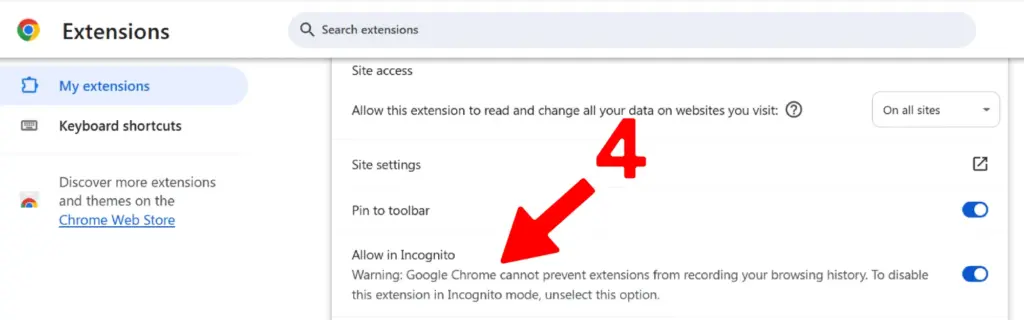
- Click the Extensions icon (it looks like a puzzle piece) in the top-right corner of your browser.
- Find Video Quality Enhancer in the list and click the Pin icon next to it. The extension will now always be visible in your toolbar.
Incognito Mode With Enhanced Videos
To use the enhancer when browsing privately, you'll need to enable it for Incognito mode.
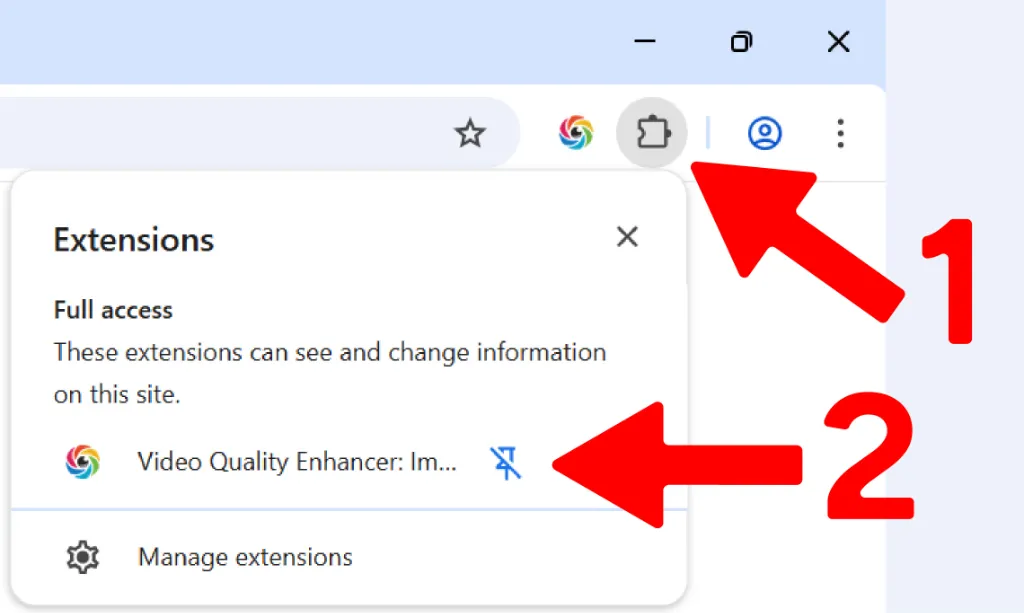
1. Click the Extensions icon (the puzzle piece).
2. Select Manage Extensions at the bottom of the panel.
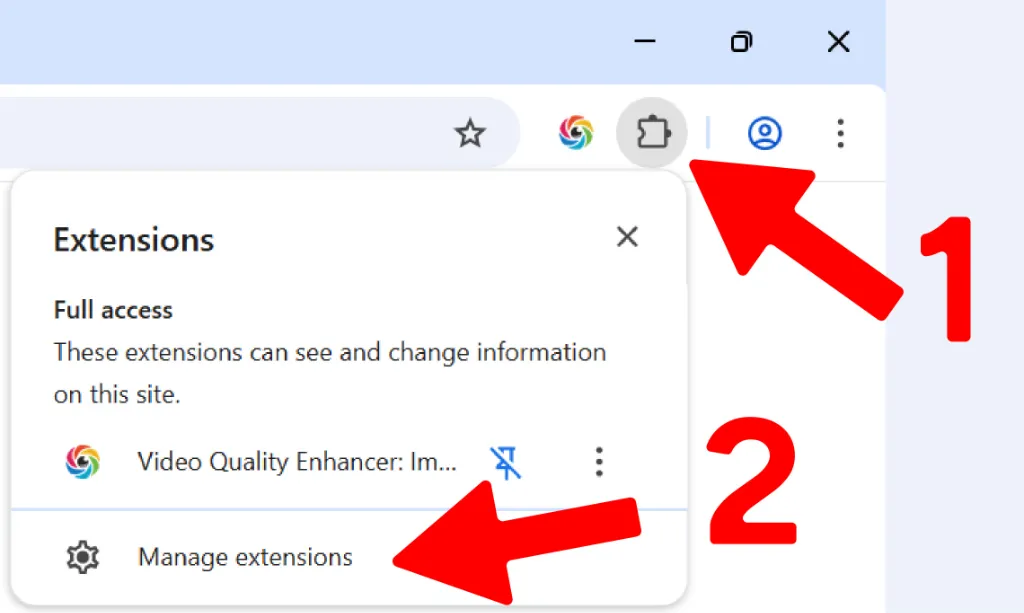
3. Find the Video Quality Enhancer on the new page and click on Details.
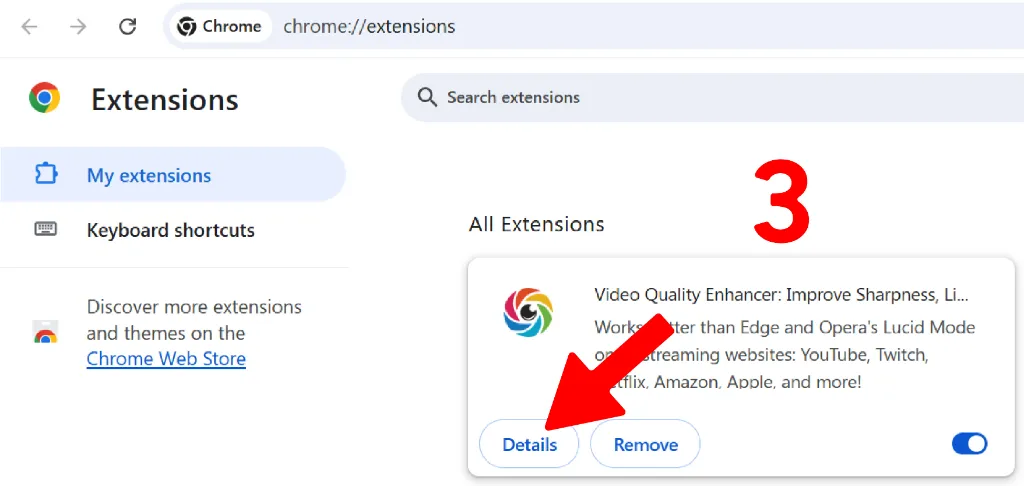
4. Scroll down and flip the switch for Allow in Incognito. Now you can enjoy enhanced video no matter how you browse.